Templates and Tools

Access approved templates and tools to create consistent, brand-aligned materials for Cal State Monterey Bay communications.

Create Consistent, On-Brand Materials

Create consistent, professional materials with ease using Cal State Monterey Bay’s approved templates and resources. These tools are designed to reflect the university’s visual identity while helping you communicate clearly and effectively.

Use the templates as provided to stay aligned with brand standards and streamline your workflow so you can focus on your message while confidently representing Cal State Monterey Bay.

Branded Templates
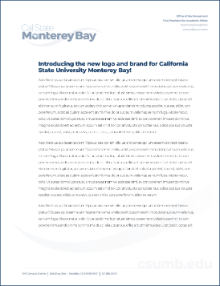
Create polished, on-brand materials quickly with Cal State Monterey Bay’s approved templates. Each layout reflects the university’s visual identity, so you can focus on your content while staying consistent. Materials are ready to share without additional review when used as designed.

To stay within brand standards:

  • Do not alter logos or fonts
  • Use images from the CSUMB PhotoShelter library
  • Select icons from Font Awesome

If your design falls outside these guidelines, submit it for brand review.

Choose from three PowerPoint templates designed for different presentation styles:

Google Slides templates with updated branding are available through the template gallery.

Template Gallery

Other Tools and Resources

Create a professional, on-brand email signature using the Cal State Monterey Bay email signature generator. The tool ensures your signature meets university standards for layout, typography and contact information.

Use your official title, department and contact details to help students, colleagues and community partners easily connect with you.