

Branded Templates
Access approved templates to create consistent, brand-aligned materials for Cal State Monterey Bay communications.
/filters:quality(75)/0x48:1200x753/prod01/channel_2/media/csumb/brand-images/events/admitted-transfer-day/atd-042526-041.jpg)
Create Consistent, On-Brand Materials
Use Cal State Monterey Bay’s approved templates to create professional materials that reflect the university’s visual identity. Templates are available for flyers, presentations, letterhead and other common communications, making it easier to stay on brand while focusing on your message.
Guidelines for Use
Templates are ready to use without additional brand review when used as designed.
To maintain brand consistency:
- Do not alter university logos or template fonts.
- Use approved images from the CSUMB PhotoShelter library.
- Use ont Awesome for icons.
- Maintain the established template layout and brand elements.
Modifications that fall outside these guidelines should be submitted to University Communications for brand review.
Branded Templates
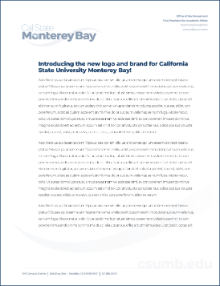
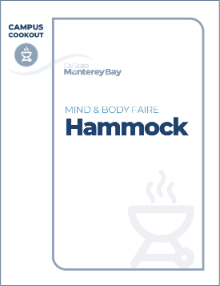
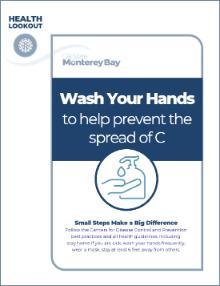
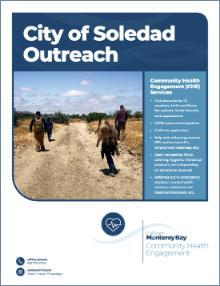
Choose from three Cal State Monterey Bay PowerPoint templates designed for different presentation styles:
Find Cal State Monterey Bay templates in Google Slides
Cal State Monterey Bay presentation templates are available in the Google Slides template gallery.
- Sign in to your Cal State Monterey Bay Google account.
- Open Google Slides.
- Select Template gallery at the top of the page.
- Browse the Cal State Monterey Bay templates available in the gallery.
- Select the template you want to use. A new presentation will open with the template applied.
Use the provided layouts, university logos, fonts and other brand elements as designed to keep your presentation consistent with Cal State Monterey Bay brand standards.
Email Generator
Create a professional, on-brand email signature using the Cal State Monterey Bay email signature generator. The tool ensures your signature meets university standards for layout, typography and contact information.
Use your official title, department and contact details to help students, colleagues and community partners easily connect with you.