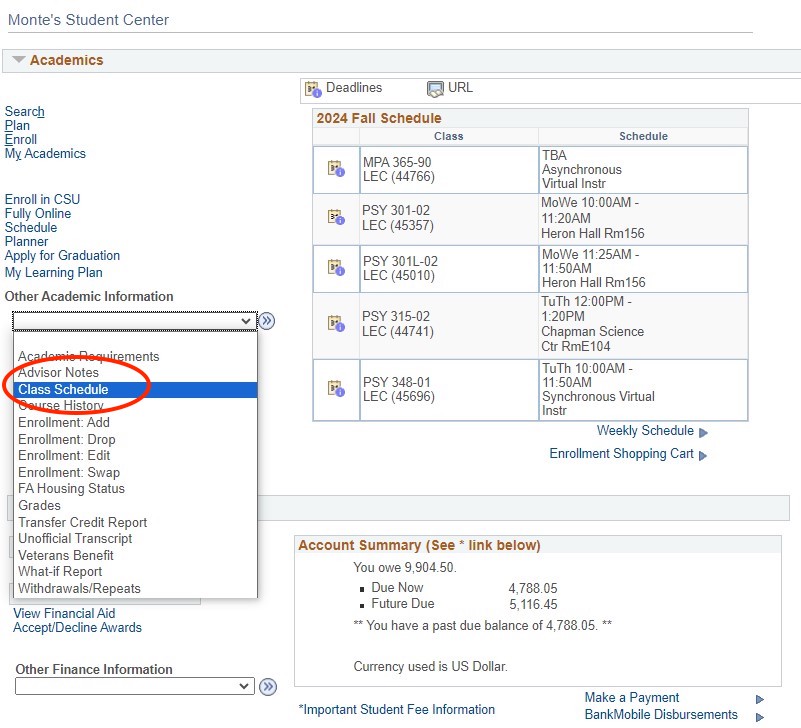
This feature allows you to create a schedule of classes you'd like to take for an upcoming semester and hold your selections until your enrollment appointment time.
Step 1
On the Student Center Page under the Academic tab click the "Plan" link
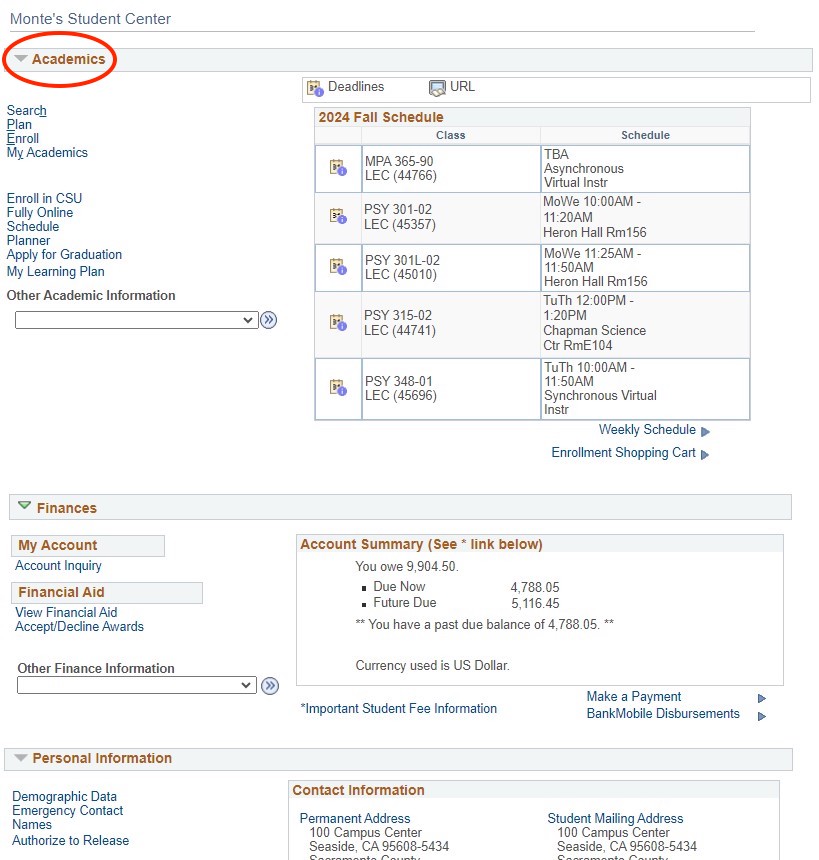
Step 2
Under the "Select Classes to Add" section:
- Find classes by browsing, searching or entering class number directly (select the most important class first for multiple component classes).
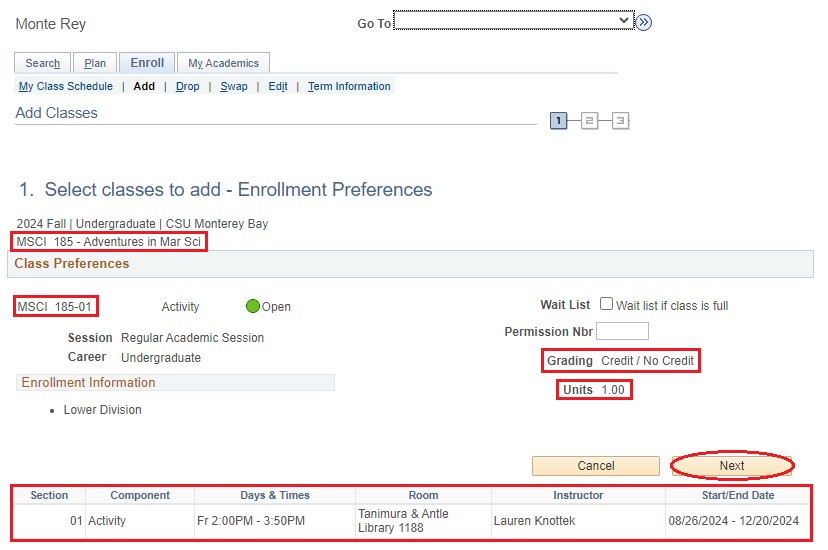
- Verify all course information is correct, enter permission number (if needed), or edit grading basis (if option exists).
- Click the "Next" button to add a class to the shopping cart.
Repeat above steps until all classes are added.
Enter class number directly.
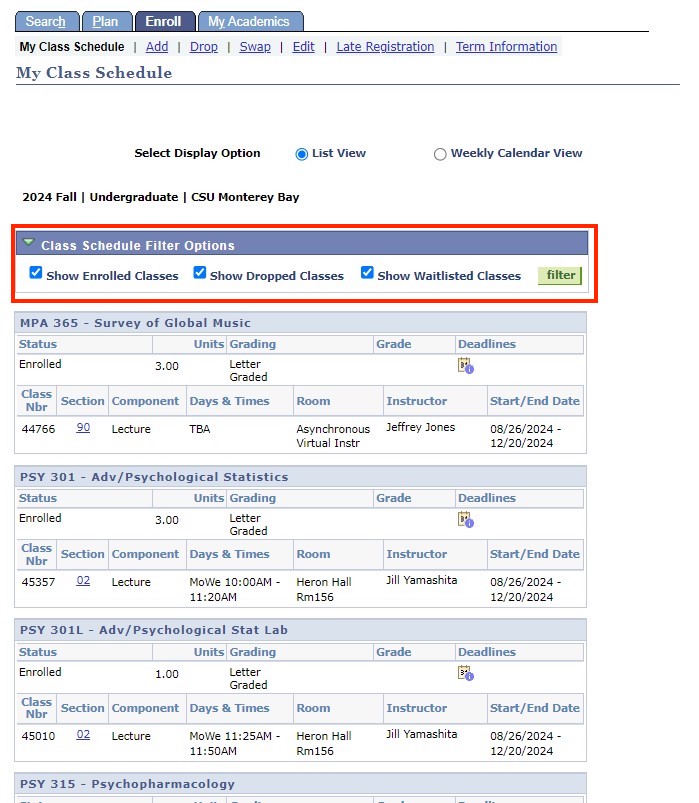
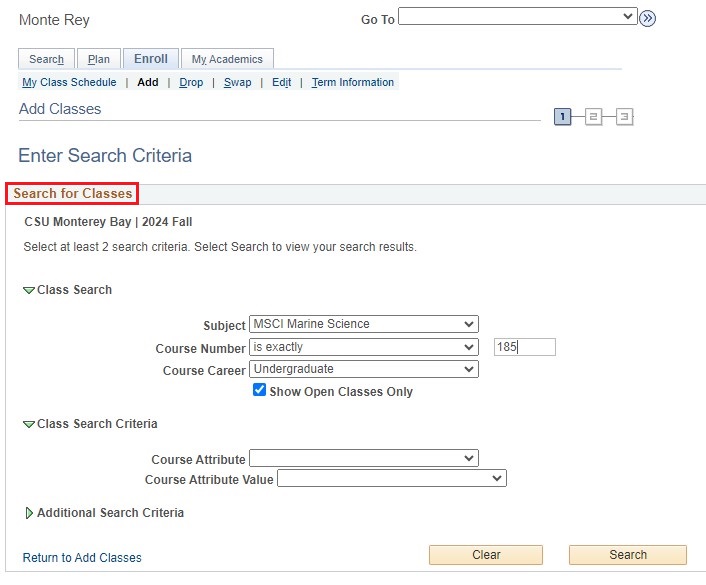
Or, search for classes.
Please Note: To find classes fill out as much information as you have. You can perform this step multiple times.
Verify course information is correct, edit as needed and select the Next button to add courses to your shopping cart.
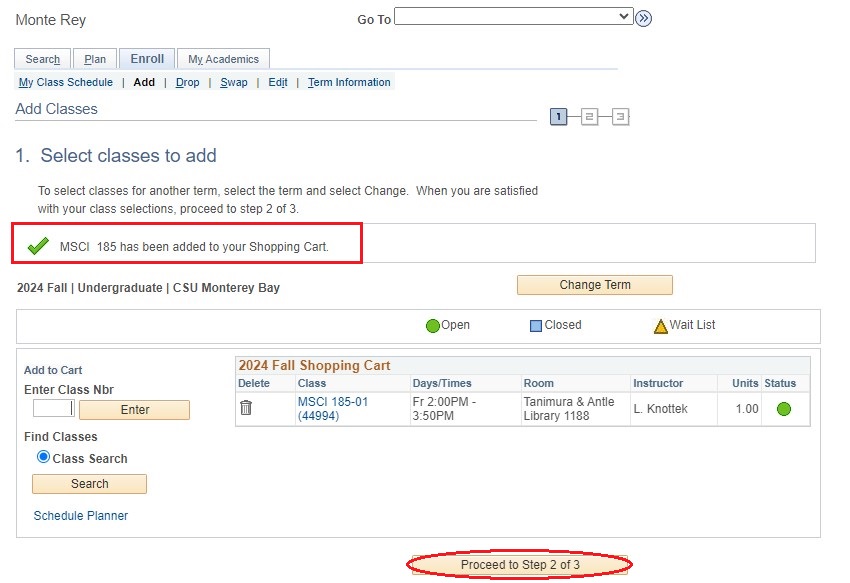
Verify course has been added to your Shopping Cart and select Proceed to Step 2 of 3 button.
Step 3
Add Classes to the Shopping Cart you wish to validate